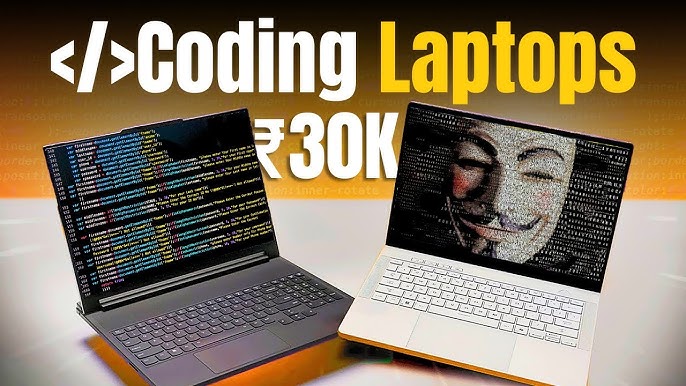
Finding the right tool for your trade is crucial, and for a Best Laptop for Coding, that tool is a powerful and reliable laptop. But you don’t need to spend a fortune to get a machine that can handle compiling code, running local servers, and juggling multiple applications. A smart, budget conscious choice can give you all the performance you need without breaking the bank. This guide will walk you through the key factors to consider and highlight some of the best laptops for coding under budget.
We will explore what truly matters in a Best Laptop for Coding from the processor to the keyboard. You’ll get a detailed look at top contenders that offer the perfect balance of price and performance. By the end, you’ll have a clear understanding of how to find a machine that fuels your projects and respects your wallet.
What Makes a Laptop Great for Coding?
Before diving into specific models, let’s establish the criteria for a solid coding laptop. While gaming or video editing require high end graphics cards, coding is more dependent on CPU performance, RAM, and storage speed.
Key Specifications to Look For
- Processor (CPU): This is the brain of your laptop. For coding, a modern processor like an Intel Core i5 (11th gen or newer) or an AMD Ryzen 5 (5000 series or newer) provides excellent performance. These CPUs can handle compiling large codebases, running virtual machines, and multitasking without a hitch.
- RAM: Random Access Memory (RAM) is vital for running multiple programs simultaneously. For most programming tasks, 8GB of RAM is the minimum, but 16GB is the sweet spot. It allows you to run your code editor, multiple browser tabs, a local server, and other tools smoothly.
- Storage: A Solid State Drive (SSD) is non-negotiable. SSDs are significantly faster than traditional Hard Disk Drives (HDDs), leading to quicker boot times, faster application loading, and speedier file operations. Aim for at least a 256GB SSD, with 512GB being ideal for storing projects, software, and the operating system.
- Keyboard and Display: You’ll be spending hours typing and staring at the screen. A comfortable, backlit keyboard makes a huge difference, especially during late-night coding sessions. A full HD (1920×1080) display with good brightness and accurate colors will reduce eye strain and improve your overall experience.
- Operating System: The choice between Windows, macOS, and Linux often comes down to personal preference or development requirements. Windows is versatile, macOS is favored for its Unix-based environment (ideal for web development), and Linux is a powerful, open-source option preferred by many developers. Most budget laptops come with Windows, but you can easily install Linux on them.
Top Budget Laptops for Coding in 2025
Here are some of the best laptops that balance performance, features, and an affordable price tag, making them excellent choices for programmers.
1. Acer Aspire 5
The Acer Aspire series has long been a go to for budget conscious buyers, and the latest models continue this legacy. The Aspire 5 often packs a modern Intel Core i5 or AMD Ryzen 5 processor, 8GB or 16GB of RAM, and a speedy 512GB NVMe SSD.
- Why it’s great for coding: It provides a fantastic price-to-performance ratio. You get current-generation components capable of handling demanding development tasks. The full HD display is crisp, and the keyboard is comfortable for long typing sessions. It also features a good selection of ports, including USB-C, for connecting all your peripherals.
2. Lenovo IdeaPad 3
Lenovo is renowned for its exceptional keyboards, and the IdeaPad 3 is no exception. This model is another strong contender in the budget space, often equipped with capable AMD Ryzen processors that deliver excellent multi-core performance for compiling and multitasking.
- Why it’s great for coding: The comfortable keyboard is a major plus for anyone who writes code all day. Combined with a solid processor, upgradeable RAM, and an SSD, the IdeaPad 3 is a reliable workhorse. Its build quality is also impressive for its price point, offering a durable machine for students and professionals alike.
3. HP Pavilion Aero 13
If portability is a top priority, the HP Pavilion Aero 13 is an outstanding choice. Often weighing under 1kg (2.2 lbs), this laptop is incredibly light but doesn’t skimp on power. It frequently features a powerful AMD Ryzen 5 or Ryzen 7 processor and a bright, color-accurate screen with a taller 16:10 aspect ratio, giving you more vertical space to see your code.
- Why it’s great for coding: The combination of a lightweight design and a powerful CPU makes it perfect for developers on the go. The taller screen is a significant quality-of-life improvement, reducing the need for constant scrolling. While it may be at the higher end of the “budget” category, its premium features justify the cost.
4. ASUS VivoBook 15
ASUS consistently delivers stylish and capable laptops, and the VivoBook 15 is a prime example. It offers a sleek design, a vibrant NanoEdge display with thin bezels, and reliable performance from its Intel or AMD internals. Many configurations come with 16GB of RAM and a 512GB SSD right out of the box.
- Why it’s great for coding: The VivoBook 15 doesn’t feel like a budget laptop. Its ErgoLift hinge design, which tilts the keyboard for a more comfortable typing angle, is a thoughtful touch. With ample RAM and storage, it’s well-equipped to handle modern development workflows without slowing down.
Related Top Google Searches
When looking for a budget coding laptop, people often search for more specific information. Here are some common related queries:
- Best laptop for Python programming
- Cheap laptops for computer science students
- Lenovo vs. HP for coding
- Is 8GB RAM enough for coding in 2025?
- Best Linux laptops for developers
- Acer Aspire 5 for programming review
- Coding laptop requirements
Frequently Asked Questions (FAQ)
Q1: Is an Intel Core i3 or AMD Ryzen 3 processor sufficient for coding?
For beginners learning to code with lightweight languages like Python or JavaScript, an i3 or Ryzen 3 can be adequate. However, as you move to more complex projects, larger codebases, or resource-intensive tools like Android Studio or Docker, you will notice performance limitations. A Core i5 or Ryzen 5 is a much better long-term investment as it provides the headroom needed for professional development.
Q2: How important is a graphics card (GPU) for coding?
For most types of programming, including web development, software development, and data science, a dedicated graphics card is not necessary. The integrated graphics that come with modern CPUs are more than capable of handling all visual tasks. The Best Laptop for Coding exception is if you are involved in game development, machine learning, or GPU-accelerated computing, where a powerful, dedicated GPU becomes essential.
Q3: Can I use a Chromebook for coding?
Yes, you can use a Chromebook for coding, especially for web development. Modern Chromebooks can run Linux applications, which gives you access to powerful code editors like VS Code and other development tools. However, they are generally less powerful than their Windows counterparts in the same price range and may struggle with more intensive tasks. A Windows laptop with Linux installed (either dual-boot or through WSL) is a more versatile option.
Q4: Should I prioritize more RAM or a better processor?
This is a classic trade-off. For coding, both are important, but they affect performance differently. A better processor will speed up tasks like compiling code. More RAM will allow you to run more applications simultaneously without the system slowing down. For a budget laptop, aim for a balanced combination: a modern Core i5/Ryzen 5 CPU and at least 8GB of RAM. If you have to choose, getting 16GB of RAM with a slightly older (but still capable) i5 might provide a smoother day-to-day experience than 8GB of RAM with the latest i5.
Q5: Is it a good idea to buy a used or refurbished laptop for coding?
Buying a used or refurbished business-class laptop (like a Lenovo ThinkPad or Dell Latitude) can be an excellent way to get a high-quality machine on a tight budget. These laptops are built to last, have fantastic keyboards, and can often be found with great specs for a low price. Just be sure to buy from a reputable seller that offers a warranty and check the battery health.



Leave a Reply